



Quantum iGold MT5 V4.1 – Gold Trading EA for MetaTrader 5
Looking for Quantum iGold MT5 V4.1? Explore the product’s gold-trading capabilities, MetaTrader 5 compatibility, supported timeframes, installation requirements, and important risk considerations before choosing an automated trading solution.
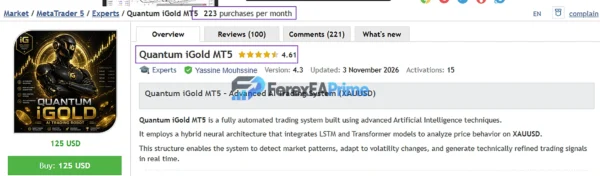
Quantum iGold MT5 is presented by its official vendor as an automated Expert Advisor (EA) designed for gold trading on XAUUSD. The official product description identifies AI-based analysis using LSTM and Transformer models. These are vendor-described technical features, not a guarantee of predictive accuracy or future trading performance.
Product highlights
- Product: Quantum iGold MT5
- Target market: XAUUSD (Gold)
- Platform: MetaTrader 5 (MT5)
- Trading type: Automated trading
- Version covered by this page: V4.1 — confirm the delivered version before purchase
- Official reference: View Quantum iGold MT5 on MQL5 Market
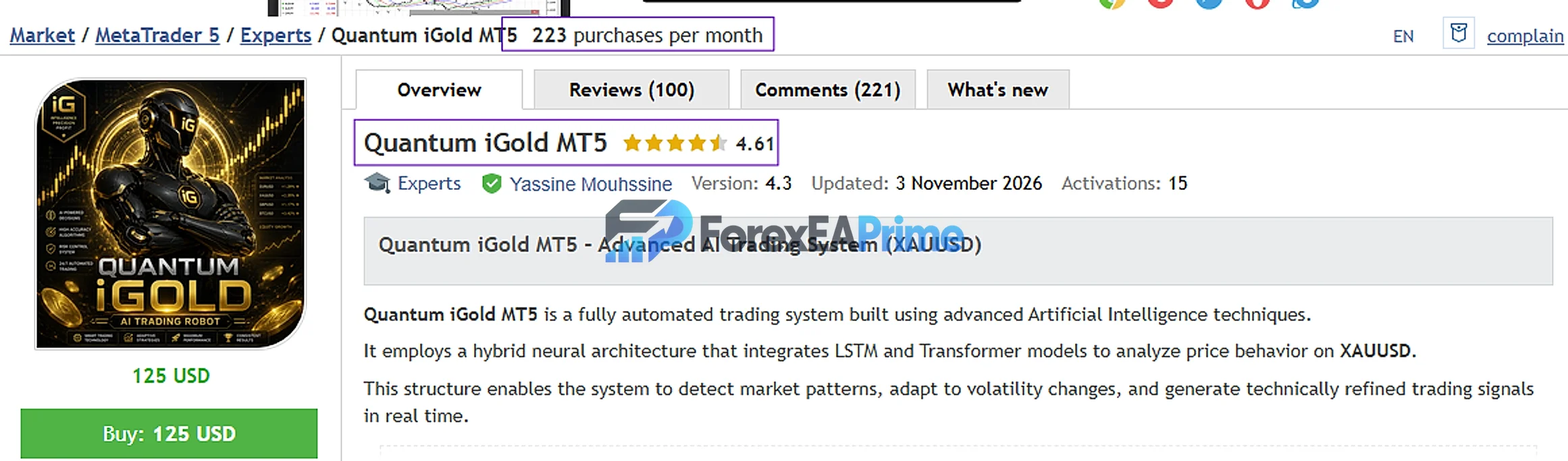
Interested in Quantum iGold MT5? Review the official product information and verify the version, purchase terms, and delivery details before proceeding.
What Is Quantum iGold MT5?
Quantum iGold MT5 is an automated trading Expert Advisor designed for the MetaTrader 5 platform, with XAUUSD identified as its supported market in the official product description.
The vendor describes its system as using artificial intelligence techniques, including LSTM and Transformer neural-network models, to analyze gold price behavior and identify trading opportunities.
An Expert Advisor can automate trading decisions according to its programmed logic and configured settings. Its actual results depend on market conditions, trade execution, account configuration, and the risks built into its strategy.
If you are considering Quantum iGold MT5 V4.1, evaluate the exact version you will receive rather than assuming that features or settings documented for another release are identical.
Quantum iGold MT5 Features
Automated XAUUSD Trading
The official listing identifies gold (XAUUSD) as the EA’s target market. Gold can experience sharp price movements during economic announcements, changing liquidity conditions, and periods of elevated volatility.
Before running the EA on a live account, verify the symbol name used by your broker and check that its trading conditions are suitable for the system.
AI-Based Market Analysis
The official vendor describes a hybrid AI architecture incorporating LSTM and Transformer models.
These terms describe machine-learning approaches that can be used to analyze sequential data and relationships in market information. Their inclusion does not independently prove that an EA will predict future prices accurately or remain profitable across changing market conditions.
Multiple Timeframe Options
The official product listing identifies M5, M15, H1, and D1 among its supported timeframes.
Supported timeframes should not automatically be interpreted as equally profitable or equally suitable settings. Check the instructions for your exact version and test any proposed configuration before using real funds.
Configurable Trading Environment
Your broker’s symbol specifications, spreads, commissions, execution speed, account leverage, and available margin can affect automated trading results.
Review the EA’s actual input parameters and vendor documentation to understand which settings you can change. Do not assume that news protection, fixed stop-losses, drawdown limits, or funded-account safeguards are included unless these features are explicitly confirmed for the version supplied.
Quantum iGold MT5 Specifications
| Specification | Details |
|---|---|
| Product name | Quantum iGold MT5 |
| Version addressed | V4.1; delivery version requires confirmation |
| Trading platform | MetaTrader 5 |
| Market listed by vendor | XAUUSD / Gold |
| Officially listed timeframes | M5, M15, H1 and D1 |
| Minimum lot shown in official listing | 0.01 |
| Minimum deposit shown in official listing | $500 |
| Account types mentioned by vendor | Raw, ECN, Cent, Micro, Standard and Premium |
| Strategy description | Vendor-described AI-based trading system |
| Recommended settings | Confirm against documentation for the delivered version |
| Setfiles included | Confirm before purchase |
| Update policy | Confirm the terms applicable to your purchase |
| Support and delivery | Confirm the seller’s current terms |
Specifications above reflect the official listing where indicated; they are not an independent guarantee that every broker supports these settings. In particular, the official minimum deposit figure should be treated as the vendor’s stated guidance, not a guarantee that $500 is sufficient for every account or risk configuration.
Which Timeframe Is Best for Quantum iGold MT5?
The official listing names M5, M15, H1, and D1. The best configuration cannot be established from timeframe availability alone.
Consider the following when testing:
- M5: More frequent price observations, with potentially greater sensitivity to spreads, execution costs, and short-term volatility.
- M15: A longer observation interval than M5, but performance still depends on the EA’s actual entry and exit logic.
- H1: Hourly price data may suit a different trading frequency and holding period.
- D1: Daily candles represent a substantially longer market interval; confirm that the exact version supports your intended setup.
These are general timeframe distinctions, not claims that Quantum iGold performs better on one timeframe than another.
Use the official version-specific instructions and MT5 Strategy Tester to assess settings under realistic trading costs. Where possible, use out-of-sample testing and forward testing rather than selecting a configuration solely because it produced the highest historical profit.
Quantum iGold MT5 Settings and Risk Management
Correct settings are essential when using any automated trading system. The appropriate configuration depends on account size, broker specifications, risk tolerance, and the EA’s actual controls.
Before trading, review:
- Lot sizing and whether it is fixed or automatically calculated.
- Stop-loss and take-profit behavior, if supported.
- Maximum simultaneous positions and exposure.
- Any available daily loss or drawdown controls.
- Trading hours and news-related settings, if available.
- Maximum spread and slippage settings, if available.
- Whether the selected symbol and timeframe match the vendor’s instructions.
Do not copy settings from another version without checking compatibility. A preset that works with one account balance, broker, or symbol specification may create excessive risk elsewhere.
If you cannot explain how the EA sizes positions, manages losses, and handles open trades, test it on a demo account before considering live deployment.
Quantum iGold MT5 Review
Quantum iGold MT5 Backtest and Live Performance
A backtest is a simulation using historical market data. A demo result uses simulated trading conditions, while a live result records trading on a real account. These evidence types should never be presented as interchangeable.
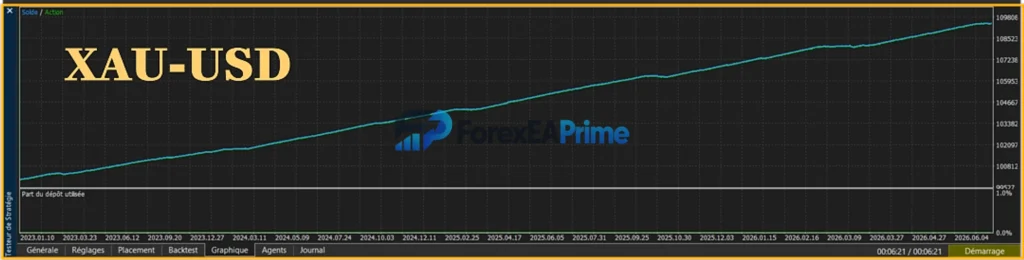

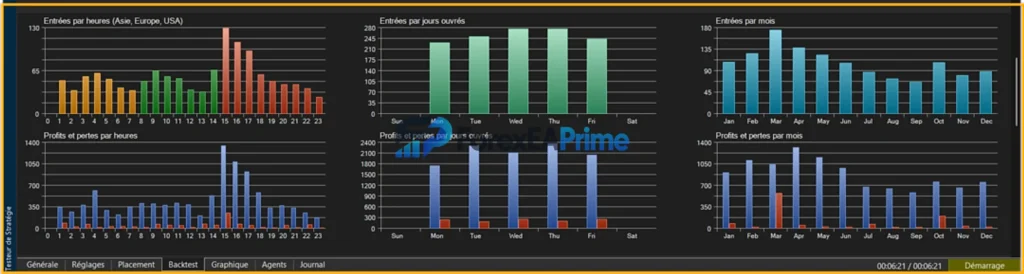
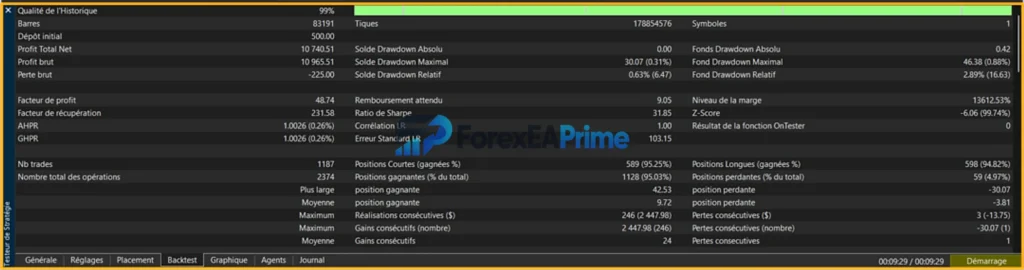
For a useful performance assessment, examine:
- Net profit alongside maximum equity drawdown.
- Total trades and the period covered.
- Profit factor and recovery factor.
- Balance drawdown versus equity drawdown.
- Spread, commission, swap, and slippage assumptions.
- Historical data quality and test modelling.
- Whether the results are independently verifiable.
- Whether forward or live results match the tested configuration.
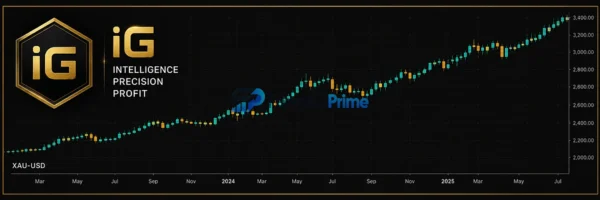
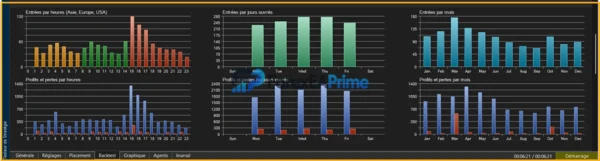
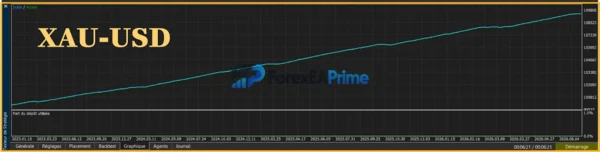
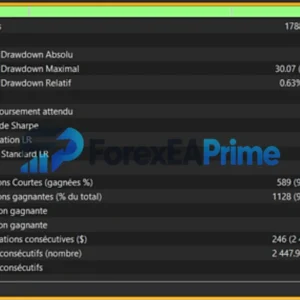
Important: No independently verified V4.1 performance report has been established for this page. Do not treat promotional screenshots or third-party performance claims as verified results without checking the underlying reports.
If a Myfxbook account, live signal, or original backtest report becomes available, publish its direct link and explain whether it represents a live, demo, or simulated account. Include the reporting period and relevant drawdown information.
Past performance does not guarantee future results. Gold markets can change quickly, and automated systems can experience losses, execution problems, and periods of poor performance.
How to Install Quantum iGold MT5
Follow the instructions supplied with the exact version you obtain. If the vendor supplies the EA through MQL5 Market, follow the official installation and activation process for that purchase.
A typical MT5 installation workflow is:
- Install and open MetaTrader 5.
- Obtain the EA through the authorized delivery method.
- Follow the supplied instructions to make the EA available in the platform.
- Open the intended gold chart using the symbol name supported by your broker.
- Select the documented timeframe and configure the inputs as instructed.
- Enable algorithmic trading only after reviewing the settings and permissions.
- Test the configuration in Strategy Tester or on a demo account.
- Monitor execution, account exposure, and trading logs before considering live use.
The exact steps can differ depending on how the product is delivered and licensed. Consult the official documentation if you encounter activation or compatibility issues.
Is Quantum iGold MT5 Compatible With MT4?
The official product listing identifies Quantum iGold MT5 as a MetaTrader 5 Expert Advisor. Do not assume that an MT5 EA can run directly on MetaTrader 4.
If you require an MT4 version, verify that the developer offers a separate, compatible MT4 product.
Quantum iGold MT5: Who Should Consider It?
This EA may be worth researching if you:
- Use MetaTrader 5 and want to investigate automated gold trading.
- Understand the risks of leveraged trading.
- Are willing to test settings before live deployment.
- Can evaluate backtests, drawdown, execution costs, and position sizing.
- Want to compare the vendor’s technical claims with available evidence.
It may not be appropriate if you expect guaranteed profits, cannot tolerate significant losses, or plan to use a configuration you do not understand.
Prop-firm traders should independently verify the current rules of their funding provider. Compatibility with MT5 does not establish compliance with daily loss limits, news restrictions, consistency rules, or other account requirements.
Compare Other Forex EAs
Quantum iGold MT5 is not the only option to consider when researching automated trading tools. Compare strategy documentation, evidence quality, trading costs, risk controls, platform requirements, and support terms before choosing an EA.
Explore these alternatives on ForexEAPrime:
These are comparison options, not a claim that any one system is more profitable or safer than Quantum iGold. Evaluate each product using its own verified specifications and performance evidence.
You can also browse more MetaTrader 5 Expert Advisors.
Official Product Information and Support
Before purchasing, consult the original vendor’s listing for current specifications, version information, licensing conditions, and any available documentation.
- Official Quantum iGold MT5 product listing
- Official vendor profile — Yassine Mouhssin
- Join ForexEAPrime on Telegram
- Contact ForexEAPrime support
Verify the exact version, delivery method, and license terms that apply to your purchase. Do not assume that purchasing from a third-party seller provides the same rights, activations, updates, or support as purchasing directly from the original marketplace.
Frequently Asked Questions
1. What is Quantum iGold MT5?
Quantum iGold MT5 is an automated Expert Advisor for MetaTrader 5. The official vendor describes it as an AI-based system designed for XAUUSD gold trading.
2. Does Quantum iGold MT5 V4.1 trade gold?
The official product description identifies XAUUSD (Gold) as its target market. Confirm that the specific version you receive supports your broker’s gold symbol.
3. Is Quantum iGold MT5 compatible with MT4?
The official listing is for MetaTrader 5. It should not be treated as compatible with MT4 unless the developer provides a separate MT4 version.
4. What is the minimum deposit for Quantum iGold MT5?
The official listing shows a minimum deposit of $500. This is vendor guidance, not a guarantee of sufficient capital or safe risk exposure. Actual requirements depend on broker conditions, position sizing, and the settings used.
5. Which timeframes does Quantum iGold MT5 support?
The official listing identifies M5, M15, H1, and D1. Confirm the supported timeframes and recommended configuration for your exact version.
6. Are Quantum iGold MT5 profits guaranteed?
No. Automated trading carries risk, and historical backtests or previous live results cannot guarantee future returns. Review drawdown, execution costs, test quality, and the possibility of losing your trading capital.
7. Does Quantum iGold MT5 include setfiles and free updates?
These terms must be confirmed with the seller before purchase. Check the delivery package, update policy, activation conditions, and support arrangements rather than assuming that all resellers provide identical terms.
8. How can I test Quantum iGold MT5 before using real money?
Where supported, use the official demo or Strategy Tester, followed by forward testing on a demo account. Include realistic spread, commission, swap, and slippage assumptions, and evaluate drawdown as well as profit.
Risk Disclaimer
Forex and gold trading involve substantial risk. Automated trading does not eliminate market risk, execution risk, or the possibility of losing some or all of your trading capital. Results vary with market conditions, broker execution, account settings, and the strategy’s behavior. Test carefully and use only capital you can afford to lose.
ForexEAPrime provides product information to help traders research available tools. Verify product specifications, licensing, and performance evidence independently before purchasing or deploying any Expert Advisor.

Best Forex EA 2026
Select by algorithmic architecture, mathematical paradigm, and prop qualification parameters.