

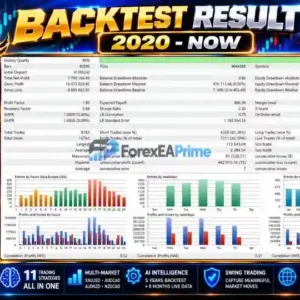


What Is AI Fusion Combo MT5?
AI Fusion Combo MT5 is a MetaTrader 5 Expert Advisor that runs eleven independent strategy modules across four instruments XAUUSD, AUDCAD, AUDNZD, and NZDCAD from a single chart attachment. Each module has its own trade identity and management process, while a shared adaptive layer evaluates completed results and applies portfolio-level protection . The “AI” component is implemented through MT5’s built-in ONNX library, operating locally inside the terminal; no API key, cloud connection, or external AI subscription is required . Users select a risk preset — Safe, Balanced, Growth, Aggressive, Extreme, or Custom and the developer recommends the Balanced profile with AI Mode set to Auto as the starting point .
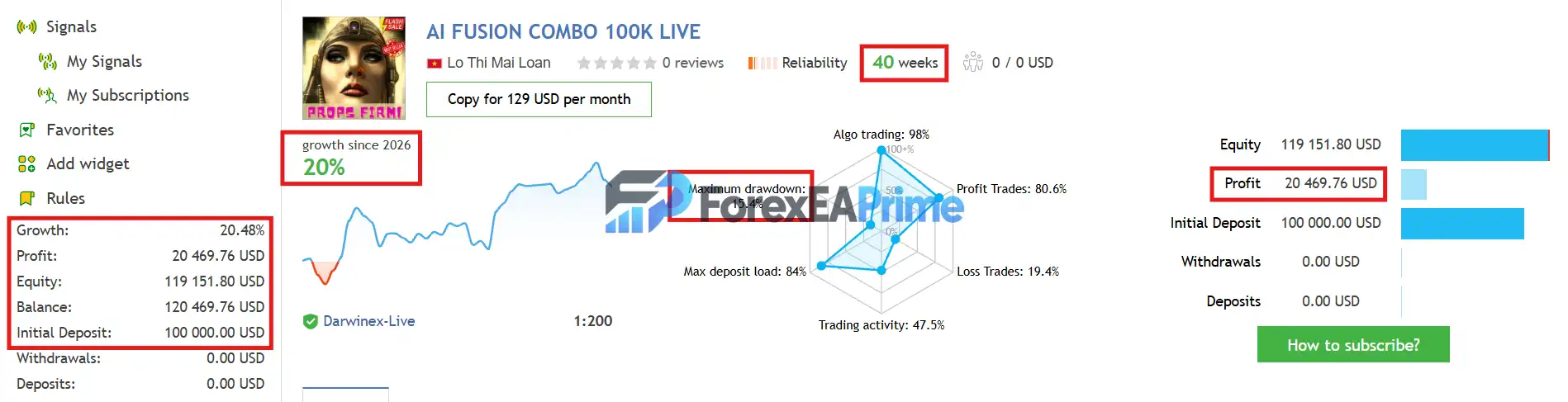
This EA is built for traders who want diversified automated exposure without loading a dozen charts, but it is not a “set-and-forget” income machine. The public MQL5 live signal has been monitored for 40 weeks on a $100,000 account, providing a transparent view of trade frequency, holding time, drawdown, and the natural difference between balance and equity . At the same time, independent risk analysis flags material limitations: AlgoCheck classifies the loss profile as “no ceiling on loss,” and ForexInspector notes the absence of a clear stop-loss structure . Buyers should treat this as a portfolio tool requiring active risk oversight, not a prop-firm challenge shortcut. The focus keyword AI Fusion Combo MT5 is best understood in that context.
Vendor: MQL5
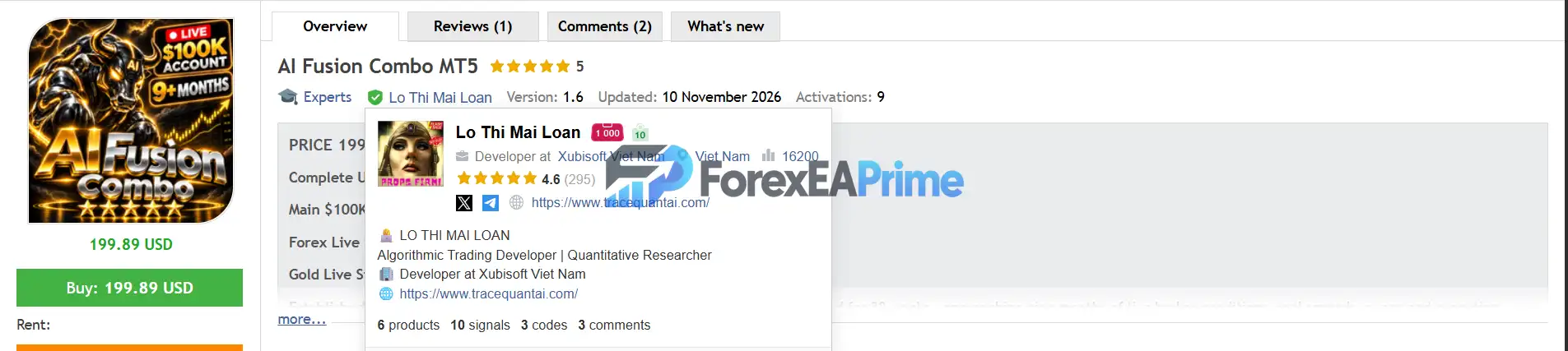
AI Fusion Combo MT5 Review & Perfomence
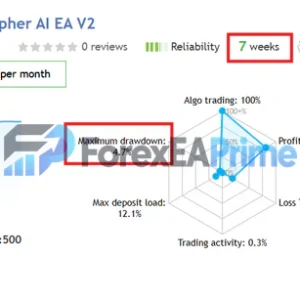
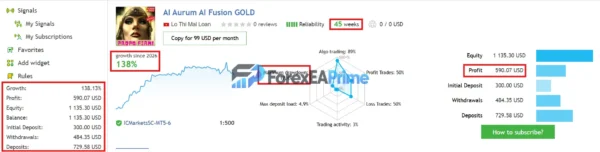
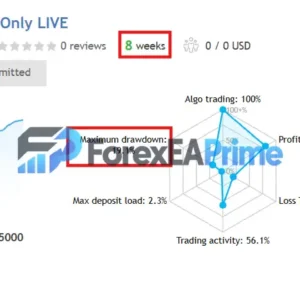
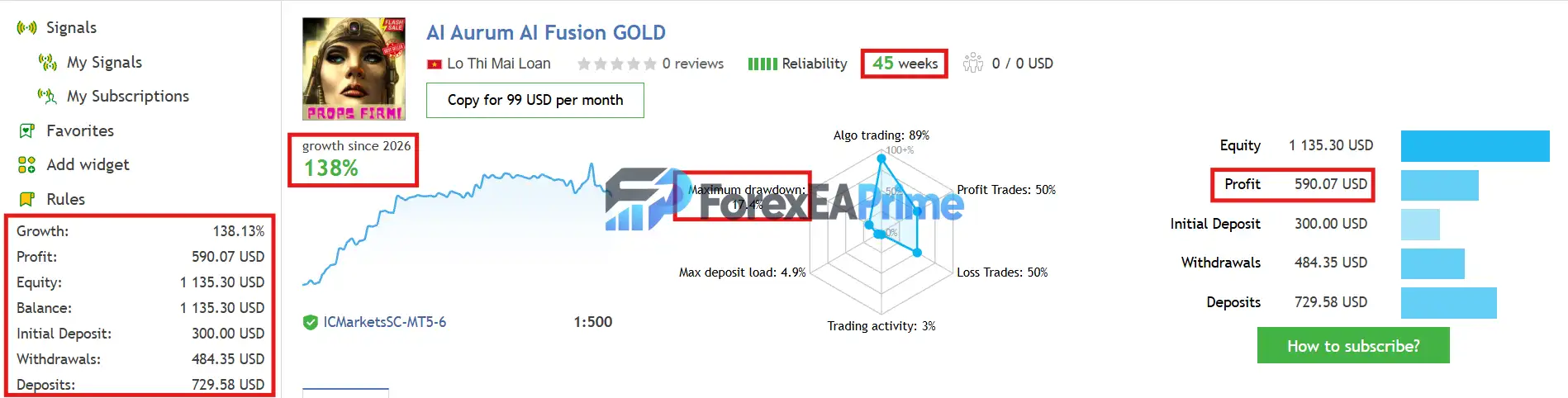
1. AI Fusion Combo MT5 Live Signal Review | Check Live Proof
• Growth: +138%
• Maximum Drawdown: 17.4%
• Profit: $590
• Initial Deposit: $729
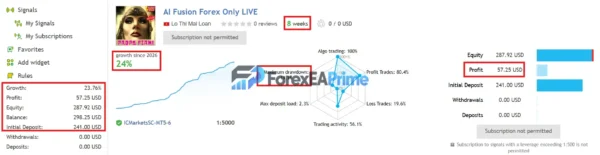
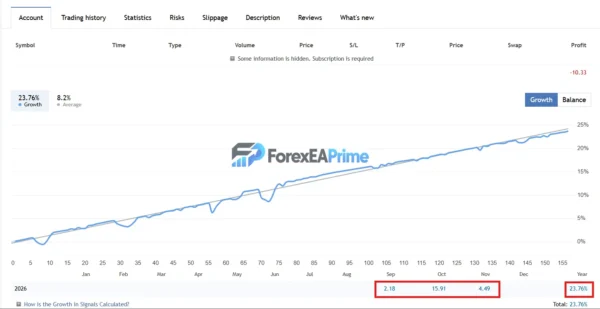
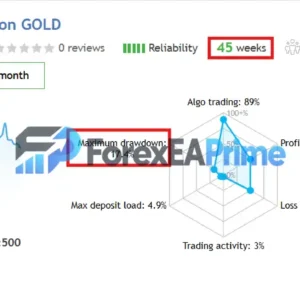
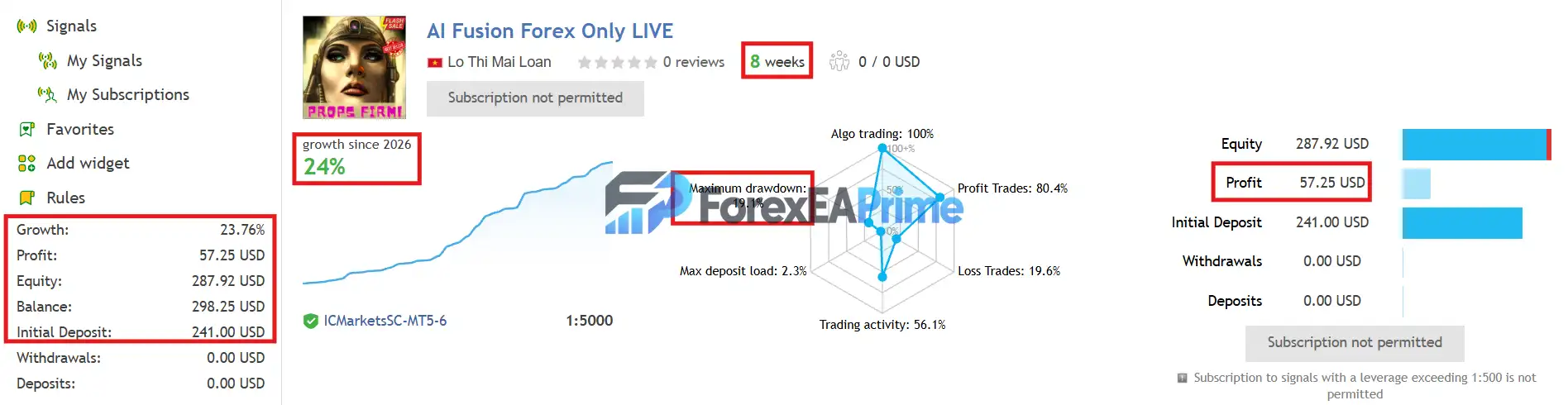
2. AI Fusion Combo MT5 Live Signal Review | Check Live Proof
• Growth: +24%
• Maximum Drawdown: 19.4%
• Profit: $57
• Initial Deposit: $241
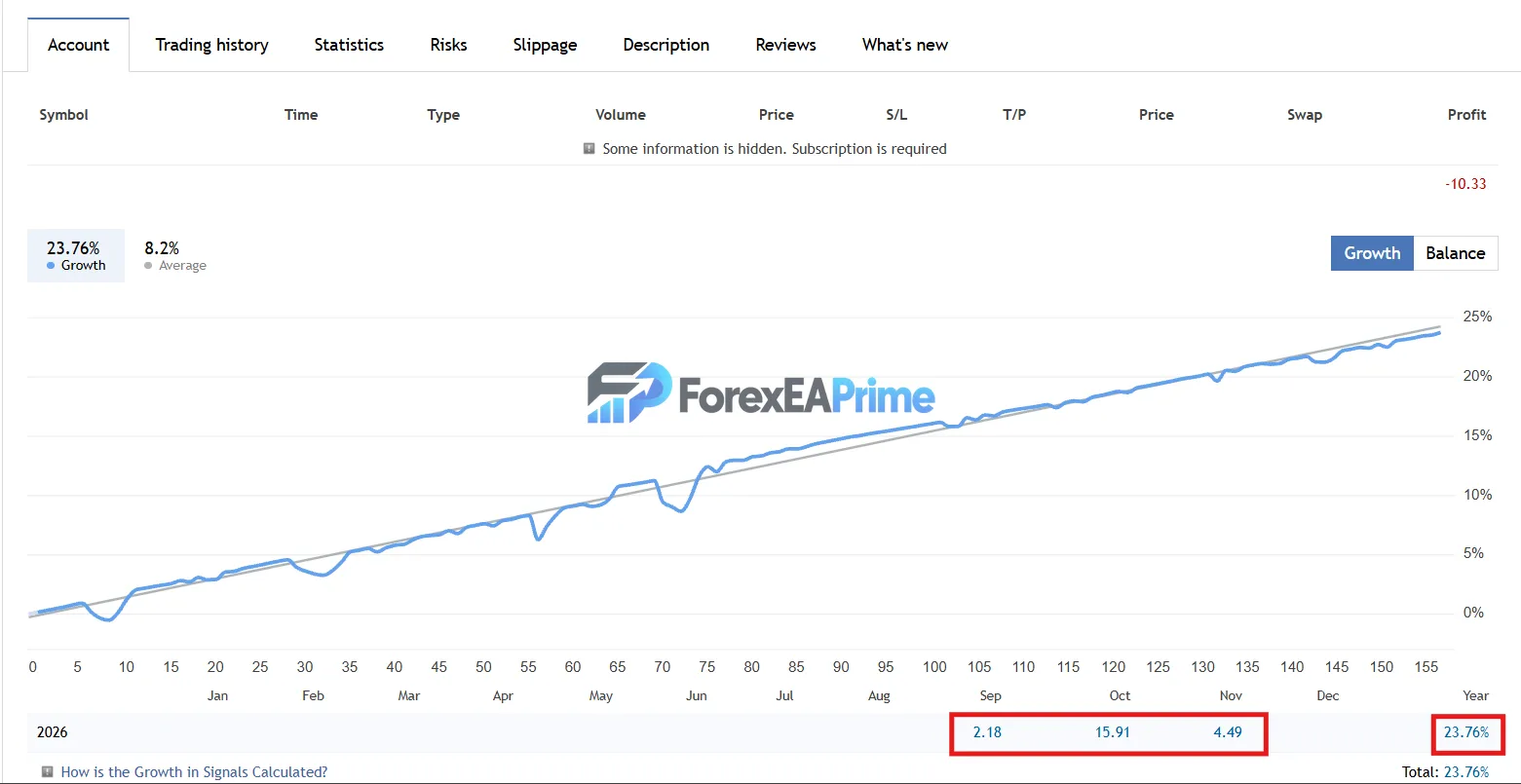
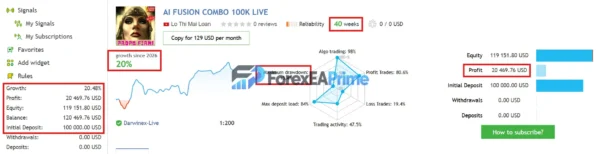
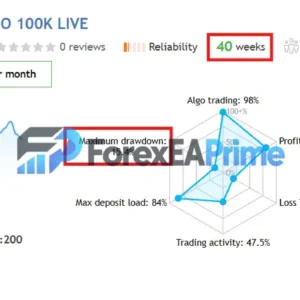
3. AI Fusion Combo MT5 Live Signal Review | Check Live Proof
• Growth: +20%
• Maximum Drawdown: 15.4%
• Profit: $20,469
• Initial Deposit: $100,000
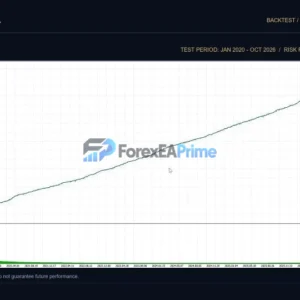
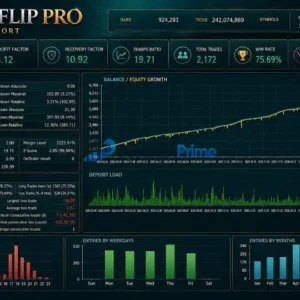
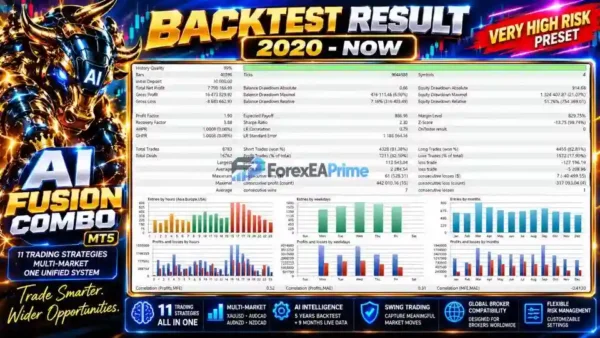
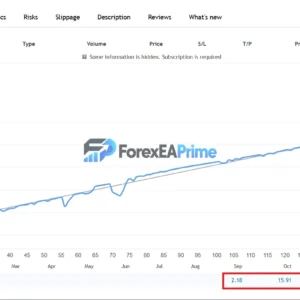
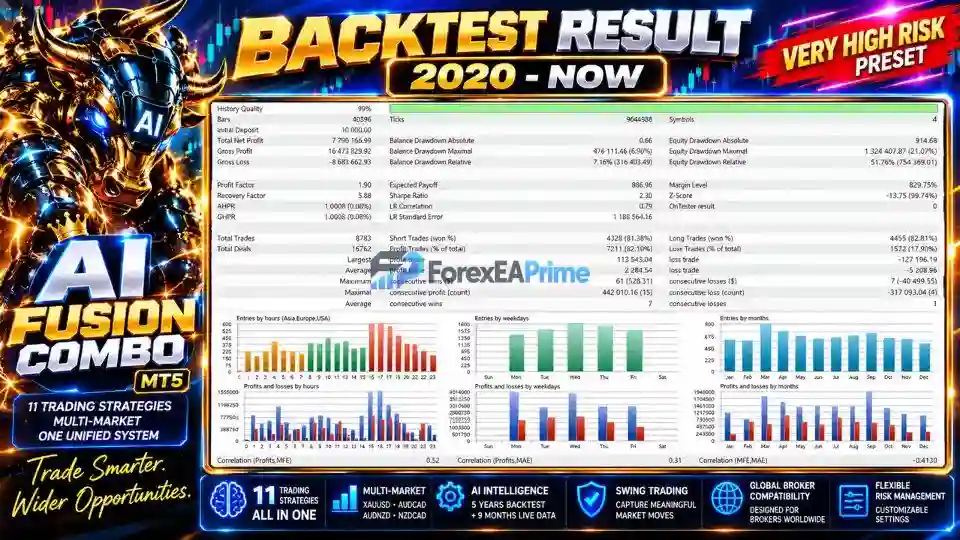
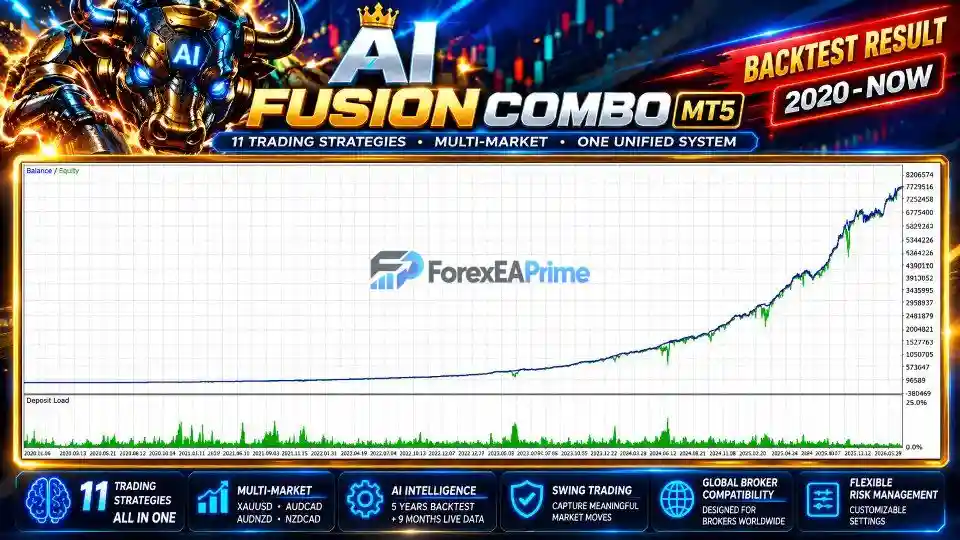
4. AI Fusion Combo MT5 Backtest Review
AI Fusion Combo MT5 Key Features
-
Eleven independent strategy modules: Three modules are allocated to Gold, four to AUDCAD, two to AUDNZD, and two to NZDCAD; the developer’s manual marks Gold Strategy 1 as disabled by default, so “eleven” is the available count, not a guarantee that all run simultaneously .
-
Local ONNX-based AI adaptation: The EA uses MT5’s embedded ONNX library to evaluate completed trades and adjust behavior; there is no external server dependency, which reduces latency and third-party failure risk .
-
Six risk presets: Safe, Balanced, Growth, Aggressive, Extreme, and Custom allow a new user to start with a defined risk posture; Balanced is the developer-recommended initial setting .
-
Account-level protection inputs: Users can set optional limits on floating loss, account drawdown, minimum equity, minimum balance, and margin usage, according to the MQL5 listing .
-
Single-chart multi-symbol management: One EA instance manages all four symbols internally, reducing chart clutter and the operational burden of attaching separate EAs to each pair .
-
Public live monitoring on MQL5 Signals: Three separate public signals track the main $100K portfolio, a Forex-only portfolio, and a Gold-only portfolio, allowing independent review of performance beyond a single profit figure .
-
No martingale requirement: The system uses DCA-style basket management, but progressive lot multiplication can be disabled; however, turning off martingale does not turn off DCA or multiple-position basket logic .
AI Fusion Combo MT5 Pros & Cons
✅ Pros:
-
Transparent live track record: The main $100K signal has 40 weeks of public MQL5 history with 438 deals, 22.72% growth, and a 1.37 profit factor — verifiable at the source, not a backtest-only claim .
-
Diversified instrument coverage: Gold plus three Forex crosses reduces single-market dependency compared with XAUUSD-only EAs, and all are managed from one chart.
-
Local AI processing: ONNX-based adaptation runs inside MT5, so there is no external API subscription cost or internet dependency for core logic .
-
Clear starting configuration: The developer explicitly recommends the Balanced preset and AI Mode Auto, reducing the “which settings?” friction for first-time buyers .
-
Buyer support via MQL5: Post-purchase support is available through MQL5 messaging for installation, symbol mapping, and initial risk setup .
❌ Cons:
-
No hard stop-loss ceiling: AlgoCheck classifies the loss profile as “no ceiling on loss,” with a measured maximum drawdown of −15.4%; ForexInspector also flags the absence of a clear SL structure . This is the single most important limitation for prop firm and risk-constrained traders.
-
Prop firm compatibility is partial at best: The design does not enforce a hard equity stop, which can breach FTMO-style daily or maximum loss rules. Treat it as unsuitable for strict prop firm challenges without additional manual or external risk controls.
-
Seller product churn is a due-diligence flag: AlgoCheck and ForexInspector both report that 7 of 13 products from this seller are no longer available on MQL5; the reason for removal is not public . This does not prove misconduct, but it warrants caution and independent verification.
-
Basket/DCA exposure overlap: The three Forex crosses share AUD, NZD, and CAD exposure, so counting eleven modules does not mean eleven independent risk buckets; baskets can remain open together and overlap .
What’s Included
-
MT5
.ex5Expert Advisor file -
Complete User Guide(MQL5 blog post 778699)
-
Access to the developer’s MQL5 buyer support channel for installation and setup questions
-
MQL5 Signals access links(main $100K, Forex-only, Gold-only)for public performance monitoring
AI Fusion Combo MT5 Recommended Settings
| Parameter | Recommended Value | Notes |
|---|---|---|
| Risk Preset | Balanced | Developer-recommended starting profile |
| AI Mode | Auto | Combines learning, adaptation, and protection; recommended for initial live/demo testing |
| Symbol Mapping | Confirm broker symbols | Verify that XAUUSD, AUDCAD, AUDNZD, NZDCAD suffixes match before enabling live trading |
| Lot Sizing | Defined by preset | Do not increase beyond the preset until the account has survived at least one full basket cycle |
| Max DCA Lot | Set per broker tolerance | Caps progressive DCA lot size; does not cap normal entry lot when martingale is off |
| Close All on Safety Trigger | false |
A safety trigger can stop new entries while existing positions remain open; automatic closure is a separate option |
| Minimum Deposit | No universal figure | MQL5 listing does not state a fixed minimum; broker, leverage, and enabled modules determine margin requirements |
How to Install AI Fusion Combo MT5 on MT5
-
Purchase and download the
.ex5file from your ForexEAPrime account or MQL5 after purchase. -
Open MetaTrader 5 → File → Open Data Folder.
-
Navigate to MQL5 → Experts and place the
.ex5file there. -
Restart MetaTrader 5.
-
In the Navigator panel, find AI Fusion Combo MT5 under Expert Advisors.
-
Drag it onto one chart (any of the four symbols; the EA manages the others internally).
-
In the EA properties, select Balanced as the risk preset and keep AI Mode = Auto.
-
Confirm the detected broker symbols, review lot and safety inputs, enable Allow Algo Trading, and test on a demo account first .
Need assistance? Contact ForexEAPrime Support.
Compatibility
-
Platform: MetaTrader 5(MT5)only. No MT4 version is listed on the official MQL5 product page.
-
Pairs: XAUUSD, AUDCAD, AUDNZD, NZDCAD — all four managed from one chart .
-
Timeframe: The MQL5 listing does not specify a single recommended timeframe; the EA manages its modules internally. Follow the User Guide’s chart attachment instructions.
-
Prop firms: Partial / Not recommended for strict challenges. The EA can run on MT5 prop firm accounts, but the “no ceiling on loss” design and absence of a hard stop may violate FTMO-style maximum loss rules . Do not use on a challenge without external risk controls and a demo test of your exact broker conditions.
-
Broker type: ECN/STP with reliable execution is preferred; the live signal runs on Darwinex-Live with 1:200 leverage .
-
VPS: Strongly recommended for 24/5 uninterrupted operation, especially because multiple baskets can remain open simultaneously.
How AI Fusion Combo MT5 Compares to Alternatives
-
Unlike single-strategy gold scalpers,
AI Fusion Combo MT5runs eleven modules across four instruments, so one losing gold idea does not automatically define the entire account’s week. -
Unlike many “AI” EAs that call external APIs, it processes ONNX models locally inside MT5 — no monthly AI subscription and no internet dependency for core decisions .
-
It provides three public MQL5 signals (main portfolio, Forex-only, Gold-only), which is more granular transparency than a single combined equity curve .
-
However, unlike EAs marketed specifically for prop firm challenges, it does not enforce a hard stop-loss ceiling; AlgoCheck’s “no ceiling on loss” classification is a material difference from FTMO-oriented systems .
-
At the current promotional price of $199.89, it is positioned below many multi-strategy portfolio EAs, but buyers should weigh the lower entry cost against the need for active risk oversight.
About the Developer
AI Fusion Combo MT5 is published on MQL5 by Lo Thi Mai Loan (lothimailoan), who has 13 products recorded on the platform . The seller’s MQL5 profile is the primary identity source for this EA; the product listing shows version 1.6, updated 10 November 2026, with 9 activations and 173 demo downloads at the time of verification .
Due diligence should include reviewing the seller’s full MQL5 product history: AlgoCheck and ForexInspector both report that 7 of 13 products from this seller are no longer available, a churn signal that warrants caution . All ForexEAPrime listings are reviewed for source attribution, but performance and seller-history verification remain the buyer’s responsibility.
Join the ForexEAPrime Trader Community
Join 240+ active traders in our Telegram community for real-time updates, setfile drops, and live performance signals for Volatility Gold Master MT5. Link: https://t.me/forexeaprime.


Volatility Gold Master MT5
Volatility Gold Master MT5 is a volatility breakout Expert Advisor for MetaTrader 5 designed to trade XAUUSD (Gold) automatically on the M30 timeframe. The EA exploits market expansion phases periods when gold's range widens and price begins to move directionally while actively filtering out low-volatility "compression" zones where fakeouts are common. Risk is managed through a built-in, fully controllable recovery mechanism that can be disabled for prop firm challenges. Backtested results (2023–2026) show a 9.45 profit factor, 89.15% win rate, and a 1.52% balance drawdown.

Allylla Pullback Bot MT5
Allylla Pullback Bot MT5 is a multi-timeframe pullback Expert Advisor for MetaTrader 5 designed to trade XAUUSD automatically. It analyses market structure across several timeframes, waits for price to retrace to a qualified pullback level, and enters a single position with a hard stop loss and managed take-profit. The system combines five independent strategies (APB1–APB5) without grid or martingale recovery.

The Gold Space MT5
The Gold Space MT5 is an advanced XAUUSD breakout Expert Advisor designed for automated gold trading on MetaTrader 5. It uses multiple swing-high and swing-low strategies across different timeframes to place Buy Stop and Sell Stop orders automatically. Featuring individual Stop Loss and Take Profit, automatic trailing stops, risk management and economic news protection, it operates without martingale, grid or averaging. Ideal for traders seeking a structured, automated gold breakout trading approach.
Best Forex EA 2026
Select by algorithmic architecture, mathematical paradigm, and prop qualification parameters.